Network Stability Monitor
A lightweight script (.bat) to monitor the availability of the main internet connection. The physical failover to a backup modem after is handled by the networking hardware in the building (switch/fallback). The script instantly detects this and sends an email notification to the administrator, allowing them to immediately report the outage to the ISP and control the data transfer limit on the backup connection.
1. Establishing the Main Connection & Continuous Monitoring
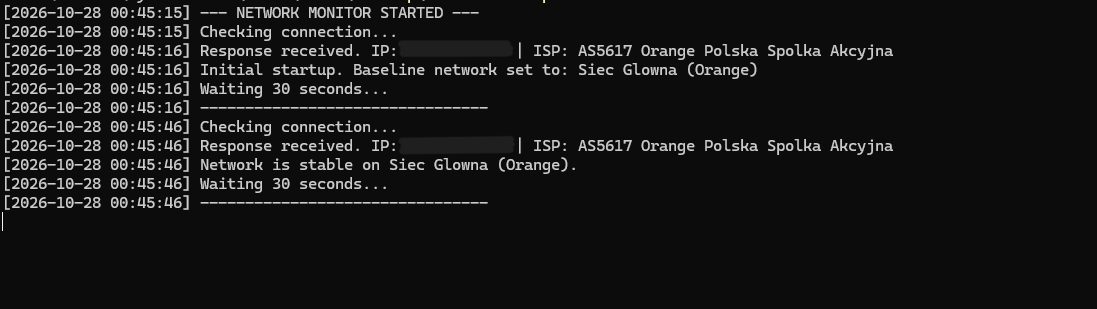
Upon launch, the script identifies the current network and its assigned IP address. Then, in the background and at regular intervals, it checks if the network is still operating on the same connection.
2. Detecting the Physical Failover
When the main connection stops responding and traffic is emergency-routed to the backup modem, the script immediately detects this network change and logs the exact time of the outage.

3. Instant Alert for the Administrator
The moment it detects the facility is running on the backup connection, the program immediately sends an email notification. This ensures the administrator knows about the outage the instant it happens and can intervene with the ISP.
